On this page
Quick answer: The best dental appointment reminder software confirms each visit by the channel your patients answer, writes the confirmation back to your practice management system, and stops messaging patients who have already confirmed. Elva, NexHealth, Dental Intelligence, Lighthouse 360 and mConsent all say confirmations are recorded in the practice system. Weave, Solutionreach, RevenueWell and Intiveo are strong communication platforms, but the pages we read don’t spell out the write-back as clearly, so ask on the demo.
Reminder software looks alike from the outside: every vendor sends texts. The differences show up the morning of a busy day, when your front desk needs to know who confirmed without opening a second screen, and who still needs a call. We compared nine tools on that. Every statement about another vendor comes from that vendor’s own website, read on 28 November 2026. Where a page didn’t mention something, we say “not stated” rather than guess. We did not test the products.
What appointment reminder software should do
Five things separate a reminder tool that saves front desk time from one that just sends texts:
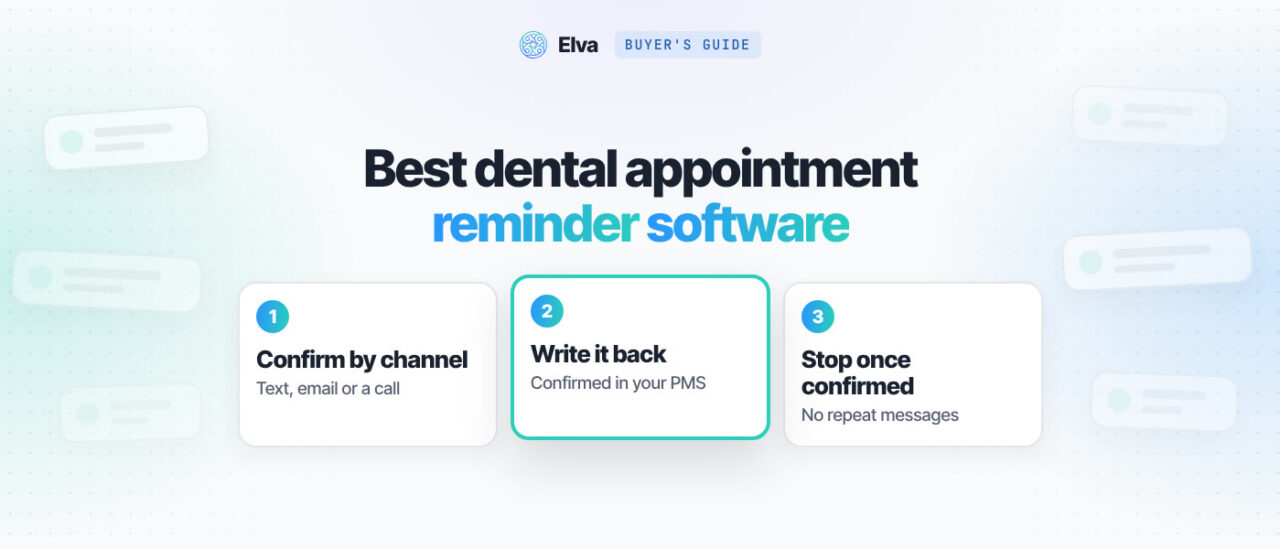
- Confirm by the patient’s channel. Text for most patients, email for some, and a call for the ones who never answer either.
- Write the confirmation back to your practice system. If a confirmed patient still looks unconfirmed in the schedule, someone calls them anyway.
- Skip patients who already confirmed, cancelled or rescheduled. Repeat reminders after a patient has answered are the fastest way to get an opt-out.
- Let patients reply. “Can I come at 4 instead?” should get an answer, not a dead end.
- Handle opt-outs and privacy properly. STOP replies honored, consent recorded, and no treatment details or prices in a text.
A reminder protects a visit that is already booked. Bringing back patients who are due and have nothing booked is a different job, covered in our guide to the best dental recall software.
Quick comparison
| Tool | Channels | Confirmation recorded in your PMS | Patients can reply | Best for |
|---|---|---|---|---|
| Elva | Text, email, call | Yes, written back to the schedule | Yes, and can book or reschedule in the thread | Practices that want reminders, replies and calls handled in one place |
| NexHealth | Text, email | Yes, status set to “confirmed” | Yes, two-way messaging | One-click confirmation with fine-grained timing |
| Dental Intelligence | Text, email | Yes, “automatic write back” | Yes, two-way texting | Practices already using Dental Intelligence analytics |
| Lighthouse 360 | Email, text, automated phone | Yes, confirmations “sent directly to your PMS” | Not stated | Offices that want automated phone confirmations |
| mConsent | Text, email | Designed to log against the PMS appointment | Not stated | Offices that also want pre-medication alerts |
| Weave | Text, call, email | Updates “your calendar”; PMS not named | Yes | Phones and messaging in one system |
| Solutionreach | Text | Not stated | Yes, from the practice number | Practices on less common practice systems (400+ integrations) |
| RevenueWell | Not stated | Not stated | Not stated | Reminders bundled with recall and marketing |
| Intiveo | Not stated | Not stated | Yes, two-way texting | Curve Dental offices (listed as a Curve partner) |
None of the nine publish a price for reminders on the pages we read. RevenueWell states an annual contract on all plans.
The 9 dental appointment reminder tools
1. Elva
Best for: practices that want reminders, replies and follow-up calls handled in one place.
Elva confirms each visit by text, email or call at the times you set, with steps defined by your practice and visit instructions per appointment type. Before each message it re-checks the appointment, skips steps that have already passed, and calls only the patients who haven’t confirmed. Patients can reply in their own words to book or reschedule, and confirmations are written back to the schedule. Texts and emails don’t carry treatment details or prices, and nothing goes to a patient until your team has reviewed the wording and pressed Start.
Elva connects in real time with major practice management systems, including Dentrix, Dentrix Ascend, Open Dental, Eaglesoft, Curve Dental, Denticon and CareStack, and Elva is HIPAA compliant. Pricing is by quote, and a trial is available. See how Elva’s dental appointment reminder software works.
2. NexHealth
Best for: one-click confirmation with fine-grained timing.
Per NexHealth’s website, reminders go by text and email and can be scheduled a week, a day or an hour before the visit, with messages tailored by appointment type. When a patient confirms, NexHealth says it updates the appointment status to “confirmed” in your health record system, and it syncs to skip patients who have already confirmed, cancelled or rescheduled. Pricing is not shown on the reminders page.
3. Dental Intelligence
Best for: practices already using Dental Intelligence for analytics.
Dental Intelligence’s website says patients confirm by replying to a text or email, and the reply updates the appointment status in your practice management software automatically. Its pages describe “automatic write back,” a log of every message sent, and two-way texting so the team only calls patients who don’t respond. Reminders sit alongside its schedule-filling tools. Pricing is not published.
4. Lighthouse 360
Best for: offices that want automated phone confirmations alongside text and email.
Lighthouse 360, from Henry Schein One, describes “AutoConfirm”: email, text or automated phone confirmations “sent directly to your PMS.” Its site says it syncs with the practice system every 10 minutes and offers procedure-based reminders with tailored instructions. Its demo page mentions no annual commitment. Pricing is not shown.
5. mConsent
Best for: offices that also want pre-medication alerts.
mConsent’s reminder page describes text and email reminders on a schedule the practice sets, with confirmations designed to log against the PMS appointment record. It names Dentrix, Eaglesoft, Open Dental and Dolphin, and notes that behavior depends on the PMS version and connector. It also flags pre-medication patients before the visit and is designed to capture consent and honor opt-outs. Pricing is not stated.
6. Weave
Best for: practices that want phones and messaging in one system.
Weave’s reminders page says patients can be reached by text, phone call or email, can confirm or decline by text or call, and that Weave will “automatically update your calendar with their response.” The default reminder goes the day before at 10:00 am, the timing can be changed, and several reminders per appointment are supported. The page does not name the practice systems it writes to, so confirm write-back for yours. Pricing is not shown.
7. Solutionreach
Best for: practices on less common practice systems.
Solutionreach’s dental page describes personalized text reminders from your practice number, two-way texting, and integrations with “400+ PM/EHR systems.” It also lists a new AI receptionist, and its year-end offer bundles that receptionist with its Practice Complete package through 18 December 2026. The dental page does not explain how confirmations are recorded in the practice system. Pricing is by quote.
8. RevenueWell
Best for: reminders bundled with recall, reactivation and marketing.
RevenueWell’s new plans page lists “Recall & Reminders,” texting and PMS integration in its Starter plan, with phones, online scheduling and reviews in higher plans. The page does not describe reminder channels or how confirmations are recorded. All plans require an annual contract, and no prices are listed.
9. Intiveo
Best for: Curve Dental offices.
Intiveo’s site says patients get reminders they “can confirm in a tap,” plus forms before the visit and two-way texting with a real person. It says it connects to your practice system and phone system but doesn’t list which ones. Curve Dental’s own partner list includes Intiveo for appointment confirmations and recall reminders. Pricing is not stated.
Which tool fits your practice
- You want the front desk to stop confirming by phone: pick a tool that calls only unconfirmed patients and writes every answer back. Elva, Lighthouse 360 and Weave all offer calls; ask each how unconfirmed patients are handled.
- You run Open Dental: Elva and mConsent name Open Dental on the pages we read. Ask any vendor to show a confirmation landing in your Open Dental appointment book during the demo.
- You run Curve Dental: Elva connects to Curve Dental in real time, and Curve lists Intiveo as a partner. Ask how a confirmation appears in your Curve schedule.
- You already use an analytics or phone platform: Dental Intelligence and Weave add reminders to tools you may already pay for.
- You want one vendor for reminders and marketing: RevenueWell and Solutionreach bundle them.
How many reminders, and when
The ADA notes that many practices confirm “at least one day in advance,” and suggests agreeing with your team on the timing that fits your patients. In practice, most offices use two or three touches:
- When the appointment is booked: a confirmation of the date and time.
- A few days before: a reminder with a way to confirm or reschedule.
- The day before (or the morning of): only for patients who haven’t confirmed, ideally by phone.
The rule that matters most is the last one: stop once a patient confirms. For copy-ready wording and timing, see our dental appointment reminder templates. For what to do when patients still don’t show, see how to write a dental no-show policy.
Text, email or a phone call?
Text is the default because patients read it, and a one-tap or one-word reply is the easiest confirmation. Email suits patients who ask for it, and it carries longer visit instructions. The ADA notes that many dentists still find a phone call the most effective confirmation, which is why the best setups save calls for the patients who haven’t answered a text. Ask each vendor whether the call is made by a person, an automated message, or an AI that can also reschedule.
The opt-out rule that changed on 25 November 2026
The FCC’s amended consent-revocation rule took effect on 25 November 2026, 30 days after it was published in the Federal Register. For informational messages, a caller may treat an opt-out as applying to the category of messages it was sent in response to, so a patient who opts out of payment reminders does not automatically stop appointment reminders. Callers may name one clear way to opt out, such as replying STOP, and must honor valid requests within 10 business days. Ask each vendor how it records consent and STOP replies by message type. This is a summary, not legal advice; check your setup with counsel. The ADA’s appointment confirmations guidance also points practices to HIPAA and the TCPA before automating reminders.
Questions to ask on every demo
- When a patient confirms by text, show me where that appears in my practice system.
- Does a patient who confirmed, cancelled or rescheduled stop getting reminders straight away?
- Who calls the patients who don’t answer, and is the outcome saved?
- What can a patient do by replying: confirm only, or also reschedule?
- How are STOP replies and consent recorded, and by message type?
- What goes in a text, and is anything clinical or financial left out?
FAQ
What is the best dental appointment reminder software?
The best tool for most practices confirms by text, email or call, writes each confirmation back to the practice management system, and stops messaging patients once they answer. On the pages we read, Elva, NexHealth, Dental Intelligence, Lighthouse 360 and mConsent describe recording confirmations in the practice system. Weave, Solutionreach, RevenueWell and Intiveo are worth asking directly.
How many appointment reminders should a dental office send?
Most offices use two or three: a confirmation when the visit is booked, a reminder a few days before, and a final touch the day before only for patients who haven’t confirmed. The ADA notes many practices confirm at least one day ahead. Stop once the patient confirms.
Can appointment reminder software update my practice management system?
Many tools can. Elva, NexHealth, Dental Intelligence, Lighthouse 360 and mConsent all describe confirmations being recorded in the practice system, though how it works depends on your system. Ask the vendor to show a confirmation landing in your schedule during the demo.
Is it HIPAA compliant to text patients appointment reminders?
Texting reminders is common, but the vendor should sign a business associate agreement and keep treatment details out of the message. Elva is HIPAA compliant, and its texts and emails don’t carry treatment details or prices. Ask every vendor how messages are protected and what they contain.
What changed in the TCPA rules for reminder texts in November 2026?
Since 25 November 2026, a caller may treat an opt-out from one category of informational messages as applying only to that category, so stopping payment reminders doesn’t automatically stop appointment reminders. Valid opt-outs must be honored within 10 business days. Check your consent setup with counsel.
What is the difference between appointment reminders and recall?
Reminders go to patients who already have a visit booked. Recall goes to patients who are due for a cleaning or exam and have nothing on the schedule. Most practices need both; see our guide to the best dental recall software for recall tools.
Related: Dental appointment reminder templates · Best dental recall software · How to reduce dental no-shows