On this page
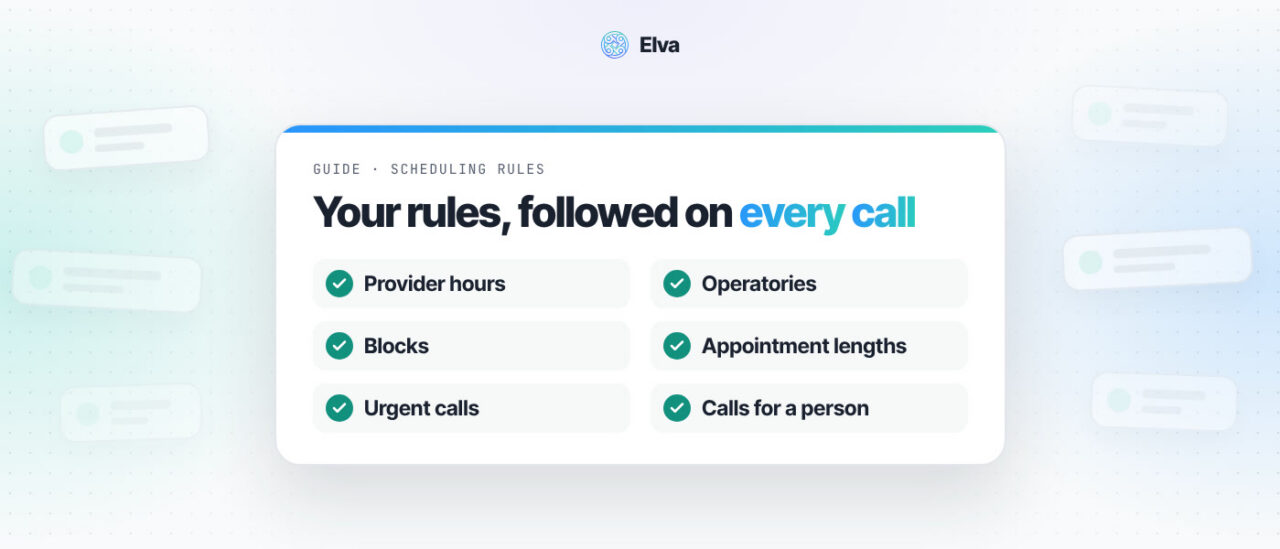
An AI receptionist follows your scheduling rules in two ways. It books inside the rules already set up in your practice management system (provider hours, operatories, blockouts and appointment lengths), and it follows the practice rules you add in its settings, such as which calls always go to a person. If a request doesn’t fit, it offers the options that do, or hands the call to your team.
Scheduling is under real pressure. New patients waited an average of 12.0 business days for an appointment in Q3 2026, according to the ADA Health Policy Institute. When openings are scarce, a booking in the wrong slot costs more than a missed call.
What counts as a scheduling rule?
Scheduling rules are the limits that decide which appointment can go where: who sees the patient, in which chair, for how long, and at what time of day. Most practices have more of them than they write down:
- Provider hours and days off
- Operatories and the procedures each one is set up for
- Blocks held for new-patient exams, hygiene or longer procedures
- The length of each appointment type
- Which calls must always reach a person
Where an AI receptionist gets your rules
From your practice management system. A well-connected AI receptionist reads the live schedule, so the hours, operatories, blockouts and appointment lengths your team already set up apply automatically. New-patient exams land where you keep them, and a long procedure never gets squeezed into a short slot. Elva does this on each of the major PMSs it supports; see the AI receptionist for Open Dental for one example.
From its own settings. Some rules live outside the PMS: which call types it may book, what counts as urgent and where those calls go, and when it should transfer instead of booking. In Elva, your team changes these AI receptionist rules and settings in the dashboard, without a support ticket.
Rules worth setting before go-live
- What it may book on its own, and what it should hand to a person.
- New-patient handling: which blocks new patients go in, and what to collect on the call. Specialty offices add their own, such as ortho consult lengths and adjustment intervals; see the AI receptionist for specialty dental practices.
- Urgent calls: what counts as urgent and where each type goes. The AI doesn’t diagnose or give medical advice.
- Families: whether to book siblings or parents back to back when they call together.
- Insurance: whether to run an insurance check on the call before confirming.
- Review mode: whether its bookings wait for your team’s approval at first.
What happens when a request doesn’t fit the rules?
It shouldn’t force the booking. A good AI receptionist offers the nearest times that do fit, books one if the patient agrees, or transfers the call with a summary when the request needs a person. If nobody is free, the request goes to a callback queue.
Rules for groups with several offices
Each office keeps its own rules. A group-wide AI receptionist should book each patient in the right office’s schedule under that office’s hours, providers and blocks. The AI receptionist for DSOs page shows the setup.
How to test it
Before go-live, call it with requests that bend your rules: a new patient asking for a hygiene-only slot, a long procedure on a short afternoon, two kids on the same day, a change of mind mid-call. Then check where each booking landed in the PMS. The stress-test script in how to evaluate an AI receptionist covers this.
Frequently asked questions
Can an AI receptionist follow complex provider scheduling rules?
A well-connected one can. It reads provider hours, operatories, blockouts and appointment lengths from your practice management system, and follows the extra rules you set in its settings. Test it with requests that bend your rules before you go live.
Does an AI receptionist work with block scheduling?
Yes, if it reads your live schedule. Blocks you hold for new patients, hygiene or long procedures apply to its bookings the same way they apply to your team’s.
Where does the AI receptionist get our scheduling rules?
Mostly from your practice management system, which already holds your hours, operatories, blockouts and appointment lengths. Rules that live outside the PMS, such as which calls go to a person, are set in the receptionist’s own settings.
What if a patient asks for a time that breaks our rules?
It offers the nearest times that fit. If the request needs a person, it transfers the call with a summary or puts it in the callback queue.
Can we change the rules later?
Yes. In Elva, your team changes scheduling and urgency rules in the dashboard whenever it needs to.
Want to see it book inside your own rules? Book a demo of the AI receptionist for dental offices.