On this page
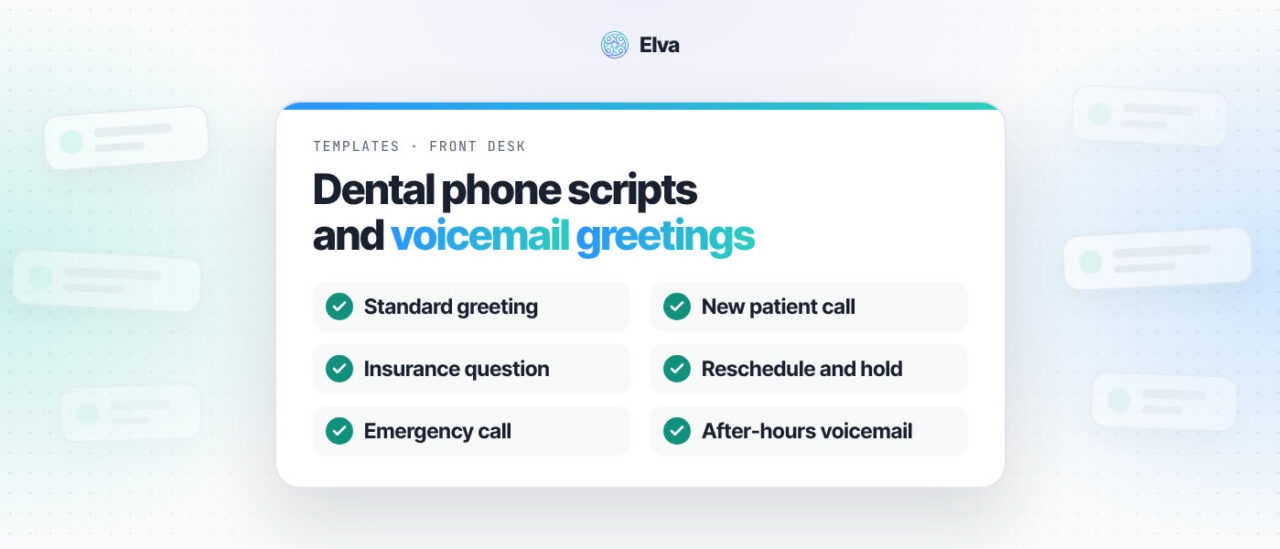
Good dental office phone scripts are short, sound like a person, and end with a next step: a booked visit, a clear callback time, or emergency instructions. Below are ready-to-use scripts for answering the phone, new patients, insurance questions, rescheduling and holds, plus voicemail greetings for busy hours, lunch, after hours and holidays. Copy them, then change the details to fit your practice.
What makes a dental phone script work
A script is a starting point, not something to read word for word. Patients hang up on a robotic read-out just as fast as on a busy signal. The scripts that work share four things:
- They say who answered in the first five seconds: the practice name and the person’s name.
- They ask one question at a time, starting with what the caller needs.
- They end with a next step: an appointment time, a callback window or what to do in an emergency.
- They leave out clinical advice. The front desk books and routes. The dentist diagnoses.
Train the team on the goal of each call, give them the script as a guide, and let them use their own words.
Answering the phone: the standard greeting
“Thank you for calling [Practice Name], this is [Name]. How can I help you today?”
Keep it to one breath. Skip long taglines; the caller wants to know they reached the right place and that someone is listening. If you answer several offices, say which location: “Thank you for calling [Practice Name] on Main Street.”
New patient call script
New patient calls are the ones worth the most care. Aim to book the visit before the call ends.
“We’d be glad to see you. Is this for a checkup and cleaning, or is something bothering you right now?”
“Great. I have [day] at [time] or [day] at [time]. Which works better for you?”
“Can I get your full name, date of birth and the best number to reach you? Do you have dental insurance you’d like us to check before the visit?”
“You’re all set for [day] at [time]. We’ll send you a text with our address and new patient forms. Is there anything else I can help with?”
Offer two specific times instead of asking “When works for you?” It’s faster and books more visits.
Insurance question script
“We work with many insurance plans. Who is your insurance through, and who is the subscriber on the plan? I can check your coverage and let you know what to expect before your visit.”
If the patient asks for a price, give a range for the visit type and promise a firmer number after the coverage check. Avoid quoting an exact out-of-pocket cost before you’ve seen the plan. For more, see how to answer patient insurance questions.
Rescheduling and cancellation script
“No problem, let’s find a new time so you don’t lose your place. I have [day] at [time] or [day] at [time]. Would either of those work?”
Move the visit in the same call whenever you can. A cancellation without a new date is the one most likely to drop out of the schedule for good.
Putting a caller on hold
“May I put you on a brief hold while I check the schedule? It should be about a minute.”
Ask first, give a time, and come back within it. If it’s taking longer, check in: “Thanks for waiting. I need one more minute. Would you like to keep holding, or can I call you back in five minutes?”
Transferring a call
“Our billing coordinator, [Name], can help with that. I’m going to transfer you now and let her know what you need, so you won’t have to repeat yourself.”
Tell the next person the caller’s name and reason before you connect them. That’s the difference between a transfer and a handoff that feels like starting over. Elva’s warm transfer works the same way.
Emergency call script
“I’m sorry you’re in pain. Can you tell me what’s going on? When did it start, and is there swelling, bleeding or a broken tooth?”
“Let’s get you seen as soon as possible. I have [time] today. Can you come in then?”
Your dentist should decide what counts as urgent, and the front desk should have that list in writing. Read the full guide to dental emergency call triage.
Dental office voicemail greetings
Every practice needs more than one greeting. Switch them by time of day or set your phone system to do it for you.
During office hours (all lines busy):
“Thank you for calling [Practice Name]. We’re helping other patients right now. Please leave your name, phone number and the reason for your call, and we’ll call you back within [time frame]. If this is a dental emergency, please say so in your message or press [number].”
Lunch hour:
“Thank you for calling [Practice Name]. Our team is at lunch until [time]. Please leave your name and number and we’ll return your call when we’re back. To book an appointment now, visit [website].”
After hours:
“You’ve reached [Practice Name]. Our office is closed. Our hours are [days and hours]. Please leave your name, number and the reason for your call, and we’ll call you back the next business day. If you have a dental emergency, [instructions: call this number, or follow these steps]. If this is a medical emergency, please call 911.”
Holidays:
“Thank you for calling [Practice Name]. Our office is closed for [holiday] and will reopen on [date]. Please leave a message and we’ll return your call when we’re back. For a dental emergency, [instructions].”
A good greeting is under 30 seconds and says three things: who you are, when you’ll call back, and what to do in an emergency. Record it in a quiet room, smile while you talk, and check it every time your hours change.
Voicemails you leave for patients
When you call a patient and get their voicemail, keep the message short and leave out treatment details. HHS allows practices to leave appointment reminders, but the safe habit is the minimum: your name, the practice name, the reason in general terms and a callback number.
“Hi, this is [Name] from [Practice Name] calling for [Patient First Name]. Please give us a call back at [number] when you have a moment. Thank you!”
“Hi [Patient First Name], this is [Practice Name] with a reminder about your appointment on [day] at [time]. If you need to reschedule, call us at [number]. See you soon!”
Recall calls follow the same pattern. Our recall scripts cover what to say when a patient is overdue.
When scripts aren’t enough
Scripts help the person answering the phone. They don’t help with the call nobody picks up. During the lunch rush, the Monday-morning wave and every evening, callers reach voicemail, and many hang up without leaving a message. Here’s what missed calls cost a practice, and you can put a number on yours with the dental missed call calculator.
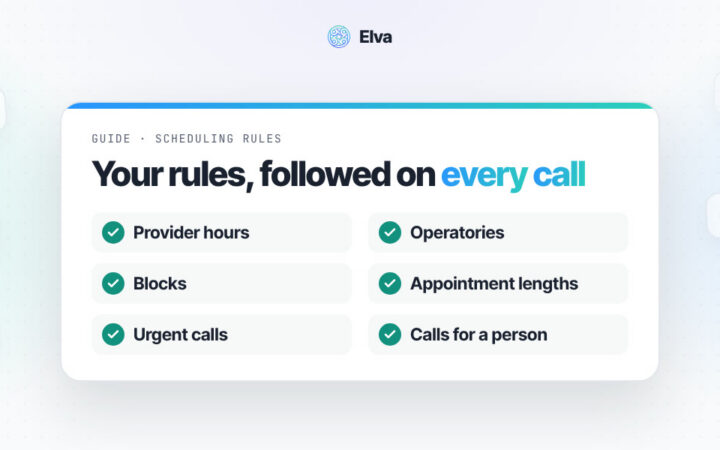
An AI receptionist follows the same rules as your scripts on every call: it greets callers in your practice’s name, books into your schedule, checks insurance during the call and transfers to your team when a person is needed. You set the voice, the hours and what it says in rules and settings, and it follows your scheduling rules. Calls that come in after hours get answered instead of sent to a greeting.
Frequently asked questions
What should a dental office voicemail greeting say?
Say who you are, when you’ll call back and what to do in an emergency. Ask callers to leave their name, number and the reason for the call, and keep the greeting under 30 seconds.
How do you answer the phone in a dental office?
Say the practice name and your name, then ask how you can help: “Thank you for calling [Practice Name], this is [Name]. How can I help you today?” Keep it short and warm.
Should dental receptionists use phone scripts word for word?
No. Use scripts as a guide to the goal of each call, such as booking the visit or giving emergency instructions, and let the team use their own words so they don’t sound robotic.
What can you say in a voicemail to a dental patient?
Keep it to your name, the practice name, a general reason such as an appointment reminder, and a callback number. Leave out treatment details.
How many voicemail greetings does a dental office need?
At least three: one for busy office hours, one for after hours and one for holidays. Many practices add a lunch-hour greeting too.
See how Elva answers every call on the AI receptionist for dental offices page.