On this page
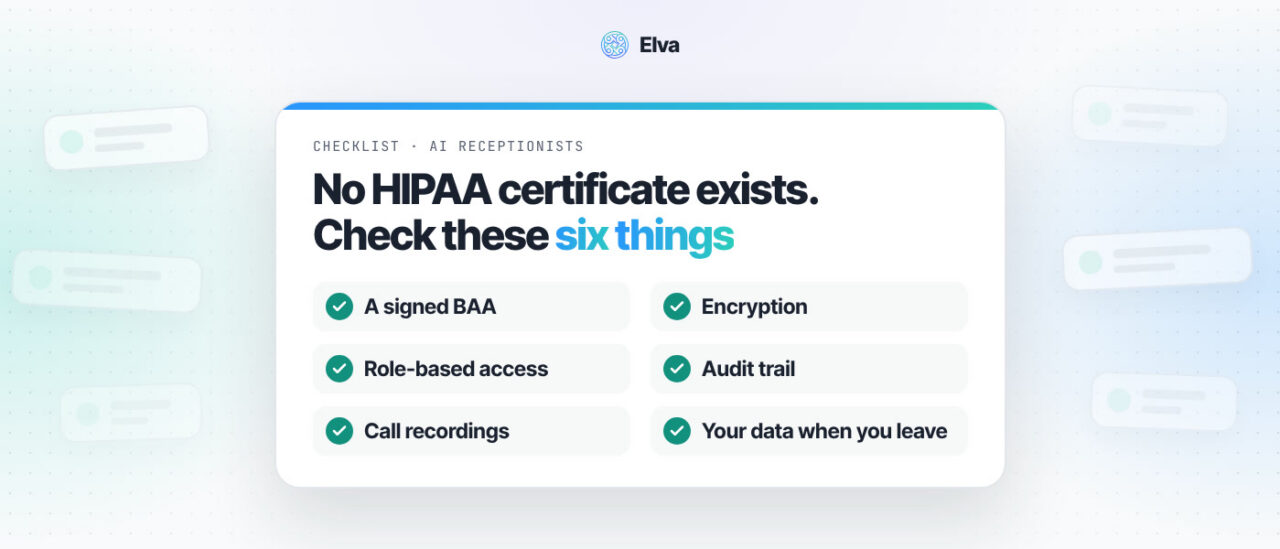
An AI receptionist can be HIPAA compliant, but no vendor can show you a HIPAA certificate, because HHS doesn’t issue one for software. What you can check is a signed Business Associate Agreement (BAA), encryption, who can see call recordings, an audit trail and what happens to your data if you leave. Elva is HIPAA compliant and signs a BAA with every practice.
This is a buyer’s checklist, not legal advice. Ask your counsel about your state’s rules.
Does HIPAA apply to an AI receptionist?
Yes. An AI receptionist hears names, dates of birth, insurance details and the reason for a visit on almost every call. That is protected health information (PHI).
A business associate is a company that creates, receives, keeps or sends PHI on behalf of a practice. Under the HHS business associate guidance, that makes the AI receptionist vendor a business associate, and your practice needs a written agreement with it before sharing patient information.
That holds even for a vendor that only stores encrypted data. The HHS guidance on HIPAA and cloud computing says a service provider is a business associate even if it can’t view the data.
Is there a HIPAA certification for AI receptionists?
No. HHS says it “does not endorse, certify, or recommend specific technology or products.” A “HIPAA certified” badge is a marketing claim, not an official status. Ask what’s behind it.
The 6 things to check
- A signed BAA, before any patient data flows.
- Encryption at rest and in transit, for recordings, transcripts and records.
- Role-based access, so staff see only what their role needs.
- An audit trail of who opened, changed or listened to what.
- Where call recordings and transcripts are kept, for how long, and who can see them.
- What happens to your data when you leave: how you export it and when it’s deleted.
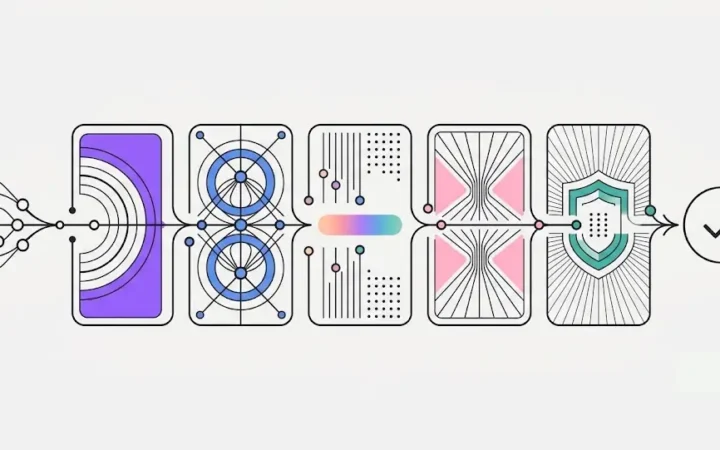
Prefer to watch? The same six checks:
What should a BAA cover?
HHS lists what the agreement has to do. In plain terms, it should:
- Say how the vendor may use and share patient information, and rule out anything else.
- Require the vendor to protect that information under the HIPAA Security Rule.
- Require the vendor to report security incidents and breaches to you.
- Pass the same rules on to any subcontractor that touches the data.
HHS publishes sample business associate agreement provisions you can hold a vendor’s contract against. Keep in mind that a BAA is a promise. The six checks are how you see it kept.
Phone calls add three questions
An AI receptionist doesn’t only store data. It talks to patients, so ask about:
- Recordings and transcripts. Where are they kept, and who on your team can open them? Elva saves a summary and transcript of each call to the patient’s record in your PMS.
- How long call data is kept. Elva keeps it for 60 days by default, and your practice can change that.
- Recording laws and disclosure. State laws on recording calls differ. Separately, whether the AI says it’s automated is your choice; in Elva, it’s set per practice.
What stays your practice’s job
| Area | The vendor | Your practice |
|---|---|---|
| BAA | Signs it and keeps to it | Signs before any patient data flows |
| Encryption | Encrypts data at rest and in transit | Gets that in writing |
| Access | Provides role-based access | Decides who gets which role, and reviews it |
| Audit trail | Logs who did what | Checks it when something looks off |
| Call data | Stores and protects recordings and transcripts | Sets how long they’re kept and who can listen |
| People | Trains its own staff | Trains your team on what to share and where |
| Risk analysis | Answers your security questions | Keeps your own HIPAA risk analysis current |
How Elva handles HIPAA
Elva is HIPAA compliant, and these are the controls behind that statement:
- A BAA with every practice, accepted before any patient data is processed.
- Patient data encrypted at rest and in transit.
- Role-based access, so staff see only what their role requires.
- A full audit trail.
- A summary and transcript of each call on the patient’s record in your PMS.
- Call data kept for 60 days by default, which your practice can change.
- After an account ends, 30 days to export your data, after which it’s deleted under HIPAA and the BAA.
- Self-hosted or private-cloud deployment for DSOs that want it.
Before you sign with any vendor, run the test calls in how to evaluate an AI receptionist, and check whether it’s an authorized AI receptionist vendor for your PMS. Once you choose, signing the BAA is the first step of your AI receptionist implementation. To compare vendors side by side, see the best AI receptionist for dental offices.
Frequently asked questions
Is an AI receptionist HIPAA compliant?
It can be. No HIPAA certificate exists for software, so check six things: a signed BAA, encryption at rest and in transit, role-based access, an audit trail, how call recordings are kept, and what happens to your data if you leave. Elva is HIPAA compliant and signs a BAA with every practice.
Does an AI receptionist need a BAA?
Yes. It handles patient information on your behalf, which makes the vendor a business associate under HIPAA. HHS requires a written agreement before you share patient information with it.
Is a BAA the same as HIPAA compliance?
No. A BAA is the contract that lets you share patient information with a vendor. Compliance depends on how the vendor and your practice actually handle that information.
Is a vendor that only stores encrypted data still a business associate?
Yes. HHS says a service provider that stores patient data is a business associate even if it only holds encrypted data and can’t view it.
Does Elva train AI models on our patient data?
No. Elva doesn’t train or fine-tune an AI model on your practice’s data. It analyzes your practice’s own history, such as how each insurer has actually paid your claims, to find patterns and make its predictions more accurate for your practice.
Want to see the controls for yourself? Book a demo of the AI receptionist for dental offices.