

Automated Production Forecasting & Strategic Dispatching
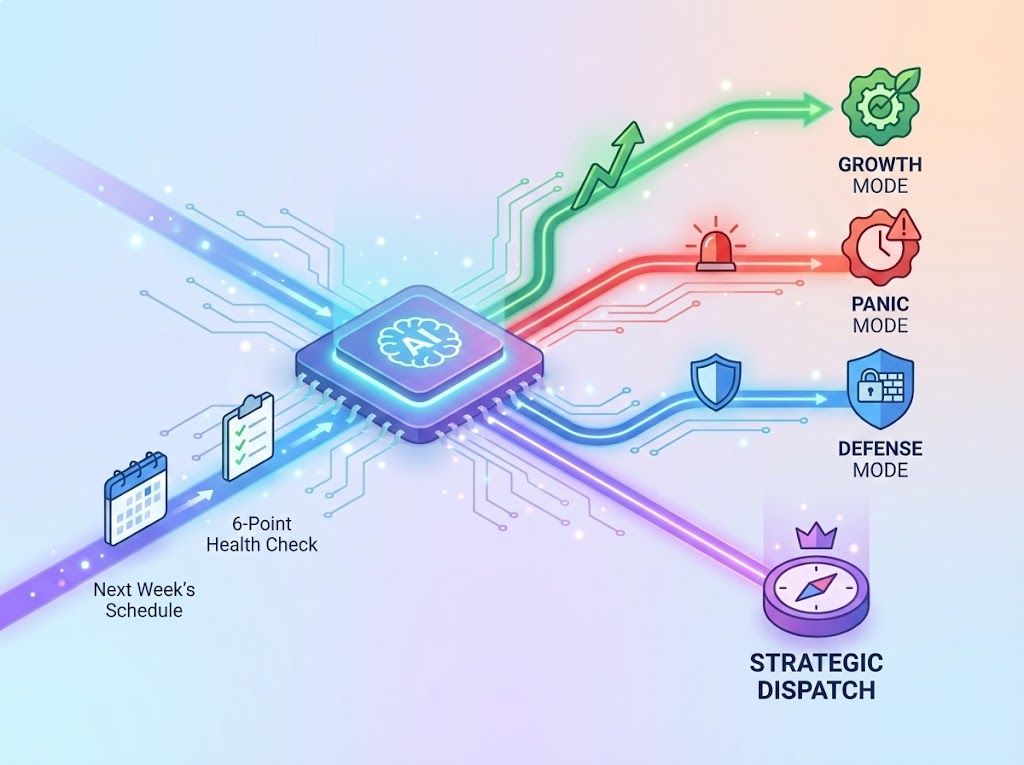
Elva doesn't just show you next week's schedule; it analyzes it. The system acts as a "Strategic Dispatcher," running a 6-point health check on your upcoming 7 days to determine if you are in "Growth Mode," "Panic Mode," or "Defense Mode." It automatically selects the dominant strategy you need to execute to maximize production and minimize chaos.



Automated Strategy Selection
Elva detects the health of the week (e.g., Low Production vs. High Risk) and auto-selects the correct strategy to fix it.

The Weekly Pulse Dashboard
A "Traffic Light" view of your week, flagging Red/Yellow/Green status for Production, Logistics, and Retention.

Revenue Mining Algorithms
Identifies patients already on the schedule who have unused benefits and unscheduled treatment plans.

Logistics & Lab Defense
Scans for operational failures before they happen, such as missing lab cases for upcoming crown seats.
Deploy "Production Rescue" to Fill Empty Chairs
Triggered when your upcoming scheduled production drops below 70% of the goal. Elva switches into "Panic Mode," shifting the team's focus entirely to filling specific holes. It identifies the exact "Danger Zones" (e.g., "Tuesday is wide open") and instantly generates a list of "ASAP" and "Short Notice" patients who match those specific time slots. It provides one-click text blasts to fill the gaps, ensuring you don't end the week in the red.

Activate "Risk Mitigation" to Protect High-Value Days
Triggered when production is healthy (>90%) but reliability is low. Elva switches to "Defense Mode" to prevent cancellations and disasters. It audits the schedule for unconfirmed high-value appointments (Crowns, Implants) and missing lab cases. The goal shifts from "filling chairs" to "ensuring they show up." It flags specific patients for priority confirmation calls and alerts you to track delayed lab work before the patient arrives.

Execute "Revenue Mining" to Upsell Existing Patients
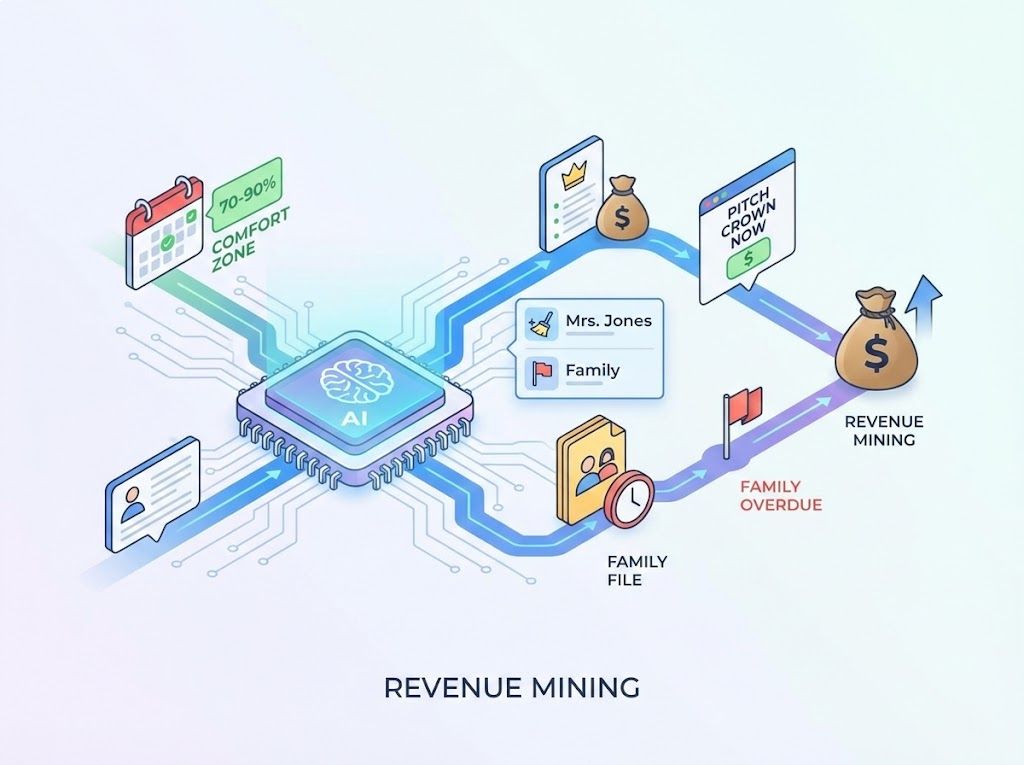
Triggered when the schedule is in the "Comfort Zone" (70-90%). Elva finds hidden revenue without adding new patients. It scans the roster of patients already coming in next week and cross-references them with their Treatment Plans and Family Files. It alerts staff: "Mrs. Jones is coming for a cleaning, but she has a pending crown and $1,000 in benefits. Pitch the crown now." It also flags family members who are overdue, turning one visit into two.
Maximize "End-of-Year" Benefits Before Expiry
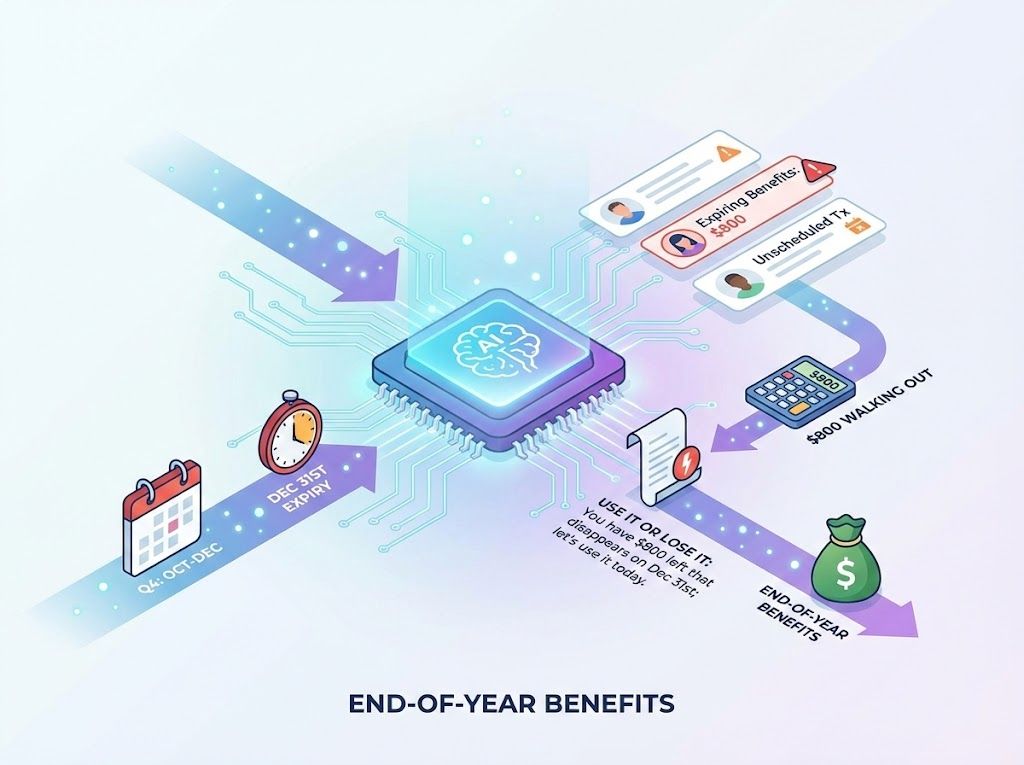
Triggered automatically during Q4 (Oct-Dec). This strategy overrides standard logic to focus on "Use It or Lose It" urgency. Elva identifies every patient on next week's schedule with expiring insurance benefits and unscheduled treatment. It calculates exactly how much money is "walking out the door" if unused and generates a script for the front desk to create urgency: "You have $800 left that disappears on Dec 31st; let's use it today."
The "Dispatcher" Logic: It Thinking, You Executing
Elva runs a diagnostic on your next 7 days. If production is low, it triggers "Production Rescue." If the schedule is full but shaky, it triggers "Risk Mitigation." It tells you what to do, not just what is happening.
The Algorithms Behind the Strategy
Specific data checks the AI runs 24/7 to detect risks and opportunities in your schedule.


Verify Lab Case Deliveries Early

Audit Unconfirmed High-Risk Appointments

Detect Provider Ghost Shifts

Detect Hard-to-Fill Schedule Gaps

Balance Hygiene vs. Doctor Utilization

Alert Team of VIP New Patients
Tools to Execute the Strategy
Practical tools that allow your team to act on the AI's recommendations immediately.

Blast Priority Text Offers
Send targeted SMS offers to specific patient lists (e.g., "ASAP List") to fill the identified "Danger Zones" instantly.

Print Benefit Remaining Slips
Auto-generate handouts for next week's patients showing exactly how much insurance money they are about to lose.

Track Delayed Lab Cases
Direct link to the lab portal to track or expedite cases flagged as "At Risk" of missing their appointment.

View Weekly Production Forecast
See the projected dollar amount for the next 7 days vs. your goal, broken down by day to spot weak points.
Send Priority Confirmation Requests
One-click "Nudge" to unconfirmed patients, asking for a firm commitment without manual phone tag

Identify Top Referral Sources
See exactly which existing patients referred next week's New Patients so you can prepare a thank-you gift.
What Is Your Strategy for Next Tuesday?
Don't let the week happen to you. Let Elva analyze your data, pick the winning strategy, and guide your team to a profitable week automatically.
Schedule a Demo