Ask a practice owner what keeps them up the night before a busy day and it’s some version of the same fear: a surprise. The big case that walks in unprepared-for. The new patient nobody confirmed who no-shows. The anxious patient handled like a routine cleaning. The balance that should have been collected and wasn’t. None of these are dramatic failures — they’re small things hiding in plain sight on a schedule that’s just a grid of names and times, invisible until they become a problem. That’s the real job of dental schedule management, and a passive grid doesn’t do it.
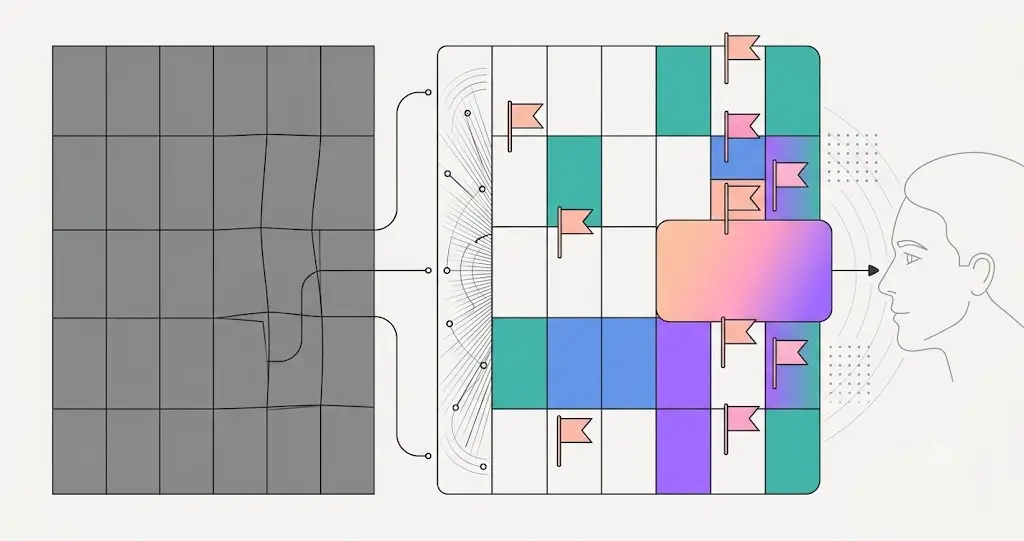
ELVA’s Calendar removes the hiding places. It doesn’t just display the schedule — its AI brain for dental practices reads and checks every appointment against the practice’s own rules, marks everything that needs attention, and surfaces the day’s risks and opportunities before the day starts. The owner stops scanning the grid hoping they didn’t miss something, because the system already checked — the same way, every single day.
What Dental Schedule Management Actually Checks
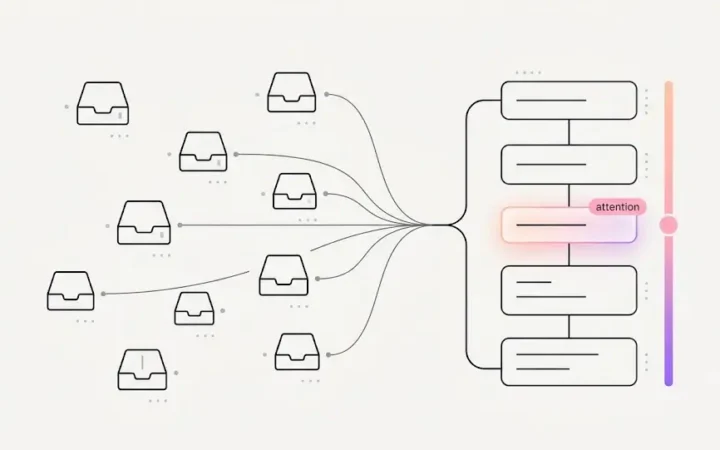
- It checks everything, continuously. Every appointment is reviewed against the practice’s standards — the equivalent of your most thorough team member quietly auditing the whole schedule all day, except it never gets tired, busy, or skipped. It reads 20+ signals on every appointment and flags what matters.
- It makes priority visible at a glance. Everything found on an appointment rolls up into the color of its cell — urgent stands out, routine recedes, and nobody has to open every appointment to know which ones matter.
- It sees the no-show before it happens. Unconfirmed visits and at-risk appointments are prevent dental no-shows surfaced days in advance, while there’s still time to act.
- It catches the value, not just the risk. Big cases get routed for proper handling and dental treatment opportunities surface what’s worth acting on — the unscheduled treatment, the expiring benefit, the fillable gap.
- It can show the whole practice, live. A Bird’s-Eye view tracks dental patient flow through the visit in real time — including the one who’s been waiting too long.
- It analyzes the day before the day starts. Heatmaps, opportunities, patterns, and a ready-made roll-up feed a dental morning huddle that’s already written.
Dental Schedule Management in Four Views
The same checked, flagged, color-coded schedule is presented through four lenses: a Day view for the front desk working today, a Next 7 Days view for getting ahead of the week, a Month view for rhythm and planning, and the practice-wide Bird’s-Eye view for owners and managers who want the whole board at a glance. Whether you’re working this morning or reviewing the quarter, you’re looking at a schedule that has already done its own homework.
Dental Schedule Management, Checked Against Your Own Rules
The part that answers the owner’s deepest worry: what gets checked, what gets flagged, and what counts as an opportunity are governed by the practice’s own dental practice playbook — your priorities, your thresholds, your definition of “needs attention,” set once and enforced on every appointment, every day. You can’t stand over the front desk all day, and with this you don’t have to: a staffer can’t overlook the big case or skip the unconfirmed patient, because the calendar flags it, colors it, and surfaces it by the rules you set. Your judgment is present at the front desk whether you are or not.
The result is the rarest feeling in practice ownership: looking at tomorrow and knowing what’s there — and that nothing is hiding. See it in the calendar.
Frequently Asked Questions
What is dental schedule management beyond displaying appointments?
Reading and checking the schedule, not just showing it: reviewing every appointment against the practice’s rules, flagging what needs attention (unconfirmed visits, big cases, balances, anxious patients), rolling priority up into visible color, surfacing risks and opportunities before the day starts, and analyzing the day, week, and month automatically.
How does ELVA’s calendar check appointments automatically?
It continuously reviews every appointment against the practice’s standards — reading 20+ signals like confirmation status, eligibility results, forms, balances, treatment-plan value, and medical alerts — and marks anything that needs attention, with the most pressing findings driving the cell’s color.
What are the four calendar views?
Day (the front desk’s detailed working view), Next 7 Days (getting ahead of the week), Month (rhythm and planning), and Bird’s-Eye (a live, practice-wide board for owners and managers). All four show the same checked, flagged, color-coded truth.
Who decides what the calendar flags?
The practice does, in its Clinic Playbook — the priorities, thresholds, and definition of “needs attention” are the owner’s standards, set once and applied to every appointment automatically. The calendar enforces this practice’s rules, not a vendor’s defaults.
How does a self-checking calendar help an owner who isn’t on-site?
It’s control without hovering: the rules you set are applied at the desk whether you’re in the building or not. A staffer can’t overlook what the calendar flags, colors, and surfaces — so patients are handled to your standard, consistently, no matter who’s working.
Retire the night-before scan. See the AI dental scheduling calendar, or start with what it reads: dental appointment flags.