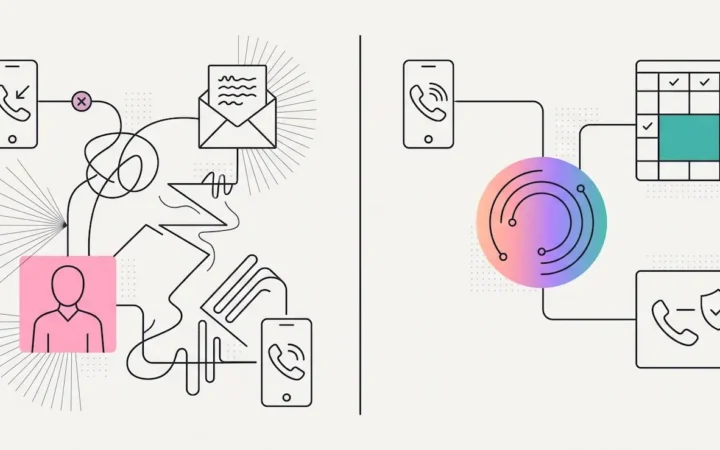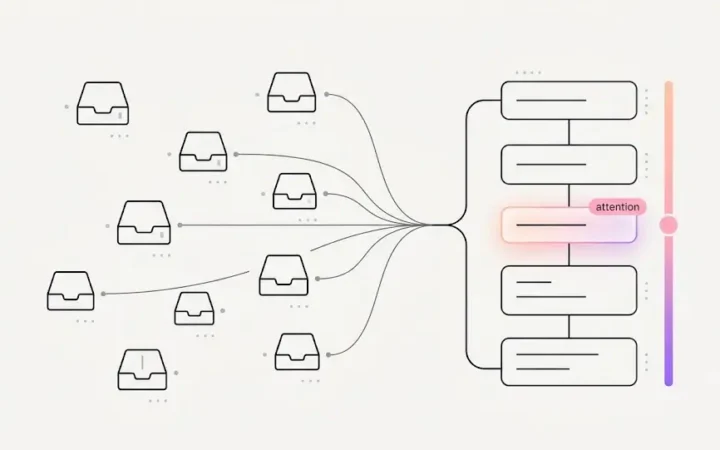
Every practice has had the moment: a patient checked in — at the desk or a dental check-in kiosk — sat down, and somehow — between a phone call, a walk-out at the desk, and a hygiene column running late — twenty-five minutes passed before anyone noticed them still sitting there. Nothing in the software was wrong. The schedule showed the appointment; the chart showed the check-in. What no screen showed was the one thing that mattered: a person is waiting, right now, longer than they should be. That’s the gap dental patient flow tracking exists to close — the difference between a schedule of what was planned and a live picture of what’s happening.
Dental Patient Flow: The Whole Practice, As It’s Happening
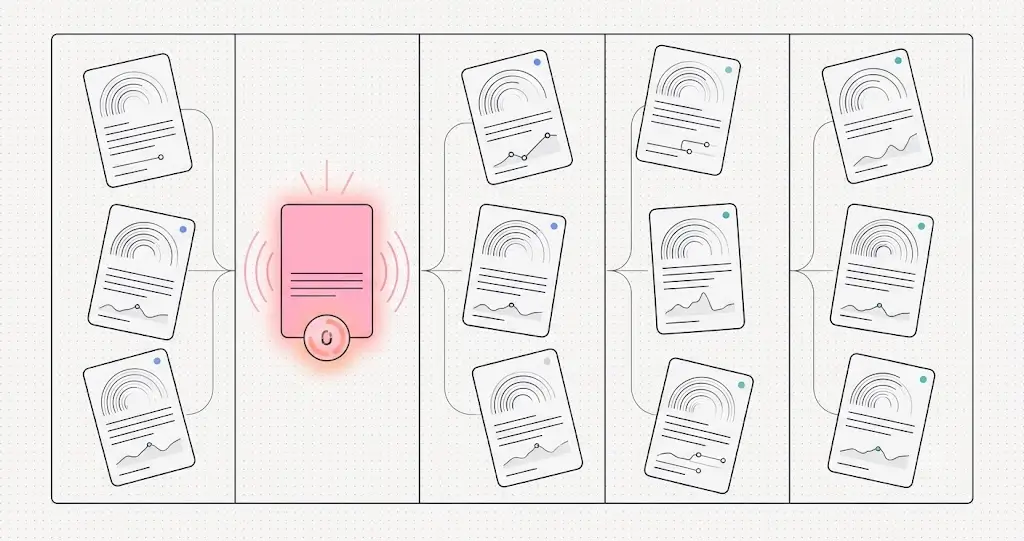
ELVA’s Bird’s-Eye view is a real-time board of the entire practice, with every patient flowing left to right through five lanes: Arriving Soon → Waiting Room → In Operatory → Walking Out → Finished. Each patient’s card carries who they are, their provider and procedure, their flags — pulled from their unified patient profile — and a live time-in-state chip specific to their lane: minutes until arrival, minutes waiting, minutes in the chair, minutes at checkout. Around the lanes, live numbers track the day as it runs:
- Arriving soon — who’s due in the next half hour, so the desk is ready before the door opens.
- Waiting — how many, and the average wait — with alarms when waits cross the practice’s thresholds, so the forgotten-patient moment becomes structurally impossible: the board raises its hand before the patient has to.
- In operatory — rooms in use of total, with a live view of which operatories are occupied.
- Walking out — the checkout moment, where the dental treatment opportunities walk-out guidance earns its keep.
- Finished — the day’s completed visits, production, and on-time percentage, accumulating in real time.
Who Uses Dental Patient Flow Tracking
The Day view is the front desk’s working surface; Bird’s-Eye is the floor manager’s instinct, made into a screen — built for the owner or office manager who wants the whole board at a glance. It answers the questions that used to require walking the hallway: Are we running on time? Is anyone stuck? Which rooms are turning over? How’s the day tracking? A manager covering two roles, or an owner stepping out of an operatory between patients, reads the state of the practice in five seconds — without interrupting anyone to ask.
One lane deserves a special word: the waiting room is where practice operations become patient experience. A patient doesn’t see your scheduling efficiency or your room-turnover rate — they see whether anyone noticed them. Wait-time alarms turn “noticing” from a courtesy that depends on a calm moment into a system behavior that happens every time. The patient who would have quietly fumed for twenty-five minutes gets an apology and an update at twelve — and walks out with a different story about your practice.
Dental Patient Flow vs. Multi-Location Visibility
A note on lanes and lenses: for a multi-location group, ELVA also provides DSO real-time visibility across locations — that’s the executive question (“how is the group performing right now?”). Bird’s-Eye is the complementary, ground-level one: this building, this hour, every patient’s physical journey from the parking lot to checkout. One is a dashboard for running a company; this is a board for running a floor. The same checked schedule feeds both — Bird’s-Eye is the live lens on dental schedule management.
See it move in the practice dashboard.
Frequently Asked Questions
What is dental patient flow tracking?
A live view of every patient’s journey through the visit — arriving soon, waiting room, in operatory, walking out, finished — with time-in-state visible per patient and live counts, average waits, room utilization, and on-time performance for the day as it runs. It shows what’s happening, not just what was planned.
How do waiting room alarms work?
Every waiting patient carries a live minutes-waiting chip, and when a wait crosses the practice’s thresholds, the board raises a visual alarm — so a patient waiting too long is surfaced by the system instead of depending on someone having a calm moment to notice.
What are the five lanes of the Bird’s-Eye view?
Arriving Soon (due in the next 30 minutes), Waiting Room (with average wait and alarms), In Operatory (rooms in use, live), Walking Out (checkout), and Finished (completed visits, production, and on-time percentage accumulating through the day).
Who should use the Bird’s-Eye view?
Owners and office managers — anyone responsible for the floor rather than a single desk. It answers “are we on time, is anyone stuck, how’s the day tracking” in one glance, without walking the hallway or interrupting the team to ask.
How is this different from multi-location, real-time reporting?
Different altitude. Cross-location visibility answers the executive question — how the group is performing right now, in numbers. Bird’s-Eye answers the floor question — where every patient in this building physically is, this minute, and whether anyone needs attention. The same live data feeds both.
Run the floor by glance, not by hallway. See the practice performance dashboard, or the checked schedule beneath it: dental schedule management.