On this page
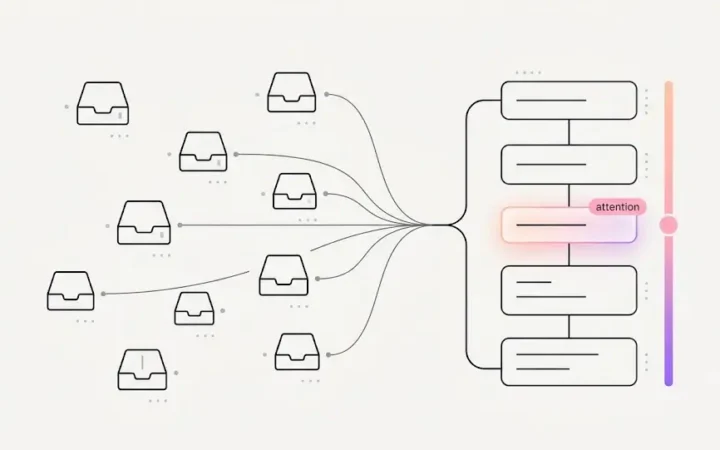
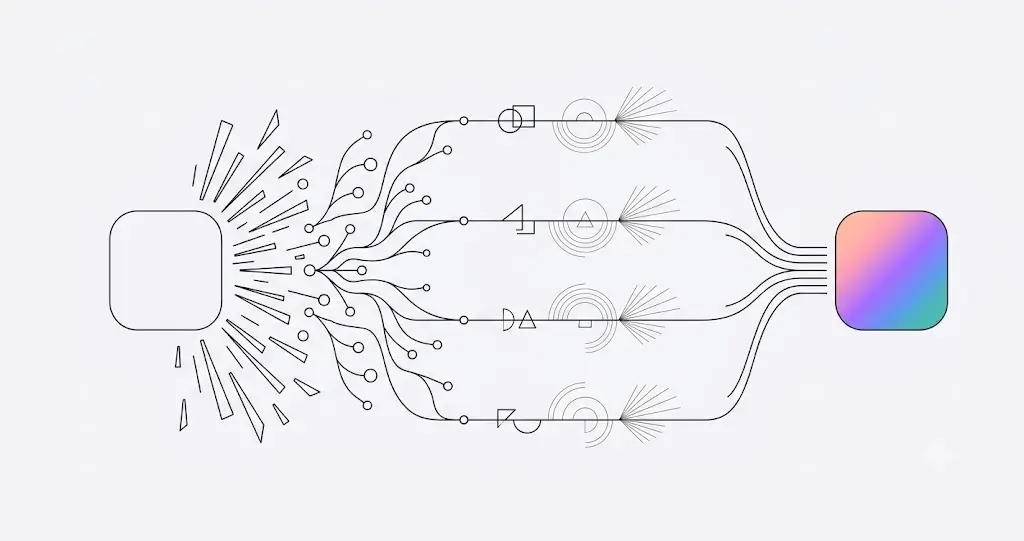
A veteran coordinator looks at one appointment and instantly registers a dozen things: new patient, not confirmed, big treatment case, balance due, this one’s nervous, hasn’t been in for two years, it’s her birthday. That instant read is years of pattern recognition — and it’s why the same schedule is an early-warning system in one person’s hands and a wall of names in everyone else’s. Dental appointment flags are that read, made automatic: ELVA checks 20+ signals on every appointment — confirmation status, eligibility results, forms, balances, treatment-plan value, medical alerts, contact and consent status, and more — and turns what it finds into flags anyone can act on.
No one tags anything by hand. The flags appear the moment the data is there, on every appointment, every day.
The Four Tiers of Dental Appointment Flags
- Green — “everything’s ready.” Eligibility verified, forms complete, appointment confirmed, reminder acknowledged — and an all-clear composite when every check passes. Green isn’t decoration; it’s the visible proof that the prep work is done.
- Yellow — “needs attention.” Forms incomplete, an outstanding balance (with the amount), a pre-authorization still pending, an anxious patient, a new patient, an unscheduled treatment plan (with its value), open follow-up items, and the dental treatment opportunities that should never be treated as routine.
- Red — “critical.” An unconfirmed visit — a prevent dental no-shows risk, a failed eligibility check, a medical alert or premedication need, no contact information on file, or a patient who has opted out of texts — a compliance line the whole team needs visible.
- Context — “good to know.” A birthday, a VIP or referral source, a preferred language other than English — relationship signals pulled straight from each patient’s unified patient profile that turn a transaction into a visit.
How Dental Appointment Flags Roll Up Into One Color
Flags would be noise if every appointment showed a dozen of them equally. So ELVA rolls everything it finds into the color of the cell: any red flag makes a red cell; otherwise any yellow makes yellow; otherwise green. Context flags stay neutral — a birthday shouldn’t look like an emergency. A glance at the day shows exactly where attention is needed, before anyone reads a single word.
The rollup is also smarter than a simple max: combinations escalate. A meaningful outstanding balance combined with an eligibility problem is a different animal than either alone, and the cell goes red; a patient accumulating multiple open follow-up items escalates the same way. (The thresholds behind these — like what dollar value makes a case “big” — are the practice’s to set, not ours.)
Why Dental Appointment Flags Reflect the Practice’s Own Rules
What gets flagged and where the thresholds sit come from the dental practice playbook — so the calendar checks for what this owner cares about, by this practice’s standards. The veteran’s instant read becomes a property of the schedule itself: a first-week hire sees the same dozen things on an appointment that the ten-year coordinator would have registered, because the registering is done. And it’s done on every appointment — the veteran’s read was always rationed by attention; the system’s isn’t.
The flags are one layer of dental schedule management that checks itself — the end of grid-staring — and the readiness story has a satisfying inverse: when everything’s green, the team sees at a glance that ELVA already handled the prep. See the flags live in the calendar.
Frequently Asked Questions
What are dental appointment flags?
Automatic markers on every appointment, driven by real signals ELVA checks — confirmation status, insurance eligibility, forms, balances, treatment-plan value, medical alerts, contact and consent status, and more — grouped into four tiers: green (ready), yellow (needs attention), red (critical), and neutral context (birthdays, VIPs, language).
How many signals does ELVA check per appointment?
More than twenty, continuously — including confirmation status, eligibility results, forms submission, medical alerts and premedication needs, outstanding balance, treatment-plan value, pre-authorization status, reminder acknowledgement, first-lifetime-visit status, anxiety flags, preferred language, VIP status, contact info presence, and SMS opt-out status. Flags appear the moment the data does; no one tags by hand.
How do flags become a cell color?
By rollup: any red flag makes the cell red; otherwise any yellow makes it yellow; otherwise green — and context flags stay neutral so a birthday never looks like an emergency. Meaningful combinations escalate (a balance plus an eligibility problem, or multiple open follow-ups, go red).
Can the practice control what gets flagged?
Yes — the flag set and thresholds (like what value makes a case “big”) are configured through the Clinic Playbook, so the calendar checks for what this practice cares about, by its own standards, not a vendor default.
Why does the SMS opt-out appear as a critical flag?
Because it’s a compliance boundary the whole team needs visible at a glance: a patient who opted out of texts must not be texted, and making that status impossible to miss on the schedule keeps every staffer — including the newest — on the right side of it.
Hear what the schedule is saying. See the AI dental scheduling calendar, or the full picture in dental schedule management.