Before you buy dental software, ask six questions about how it connects to your practice management system (PMS). Does it write back or only read? How fast do changes show up both ways? Which data writes back on your PMS? What happens when the PMS updates or the connection drops? Who sets it up? Does it work at every location? Then ask the vendor to prove it live in the demo.
Dental software PMS integration can mean anything from a nightly read to live two-way sync. The difference usually shows up only after go-live, when your team is already using the tool.
Key findings
- In public reviews of six dental front-office tools, users repeatedly report once-a-day syncing, missing write-back, and data such as intake forms that never reaches the PMS.
- Some reviewers report sync trouble after their PMS installed an update.
- None of the buyer guides we reviewed explains how to test sync during a demo.
What does “integrates with your PMS” actually mean?
Two-way, real-time sync means a tool reads your practice management system and writes changes back into it as they happen, so both show the same schedule and the same patient records. Anything less leaves a gap that your team fills by hand.
Vendors use “integration” for at least three different setups:
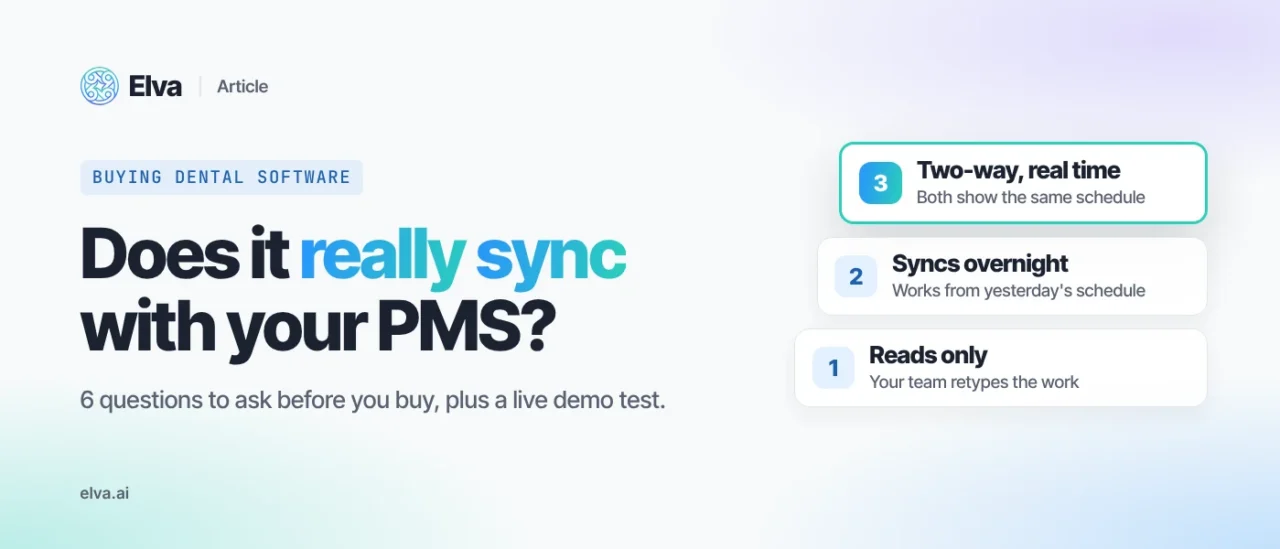
| Level | What the tool sees | What your PMS gets | What your team does |
|---|---|---|---|
| Reads only | Your schedule and patients, as of the last read | Nothing | Retypes bookings, form answers and notes into the PMS |
| Syncs on a schedule (for example, overnight) | The schedule as of the last sync | Changes in a batch, hours later | Works around stale data and double-checks before patients are contacted |
| Two-way, real time | The schedule as it is now | Changes as they happen | Reviews the work instead of retyping it |
All three can be sold as “integrates with Dentrix” or “works with Open Dental.” The six questions below tell you which one you are buying.
Why PMS sync is the first thing to test
Sync problems rarely show up in a sales demo. They show up weeks after go-live, when a patient gets a reminder for an appointment that was moved, or the front desk finds new-patient forms that never reached the chart.
We read public reviews of six dental front-office tools on Software Advice and G2 (about 30 reviews that mention sync, posted between 2017 and October 2026). Sync is one of the most common complaint themes, alongside phone reliability, support and contracts. Users report that:
- the tool syncs only once a day, so it works from a stale schedule;
- the tool doesn’t write back to the PMS, or write-back is only on a higher plan;
- some data never writes back, such as intake forms or medical history;
- the connection breaks after the PMS installs an update;
- out-of-date data leads to wrong texts going to patients;
- booking times in the tool don’t match the PMS.
Many practices are making this choice right now. By Q3 2026, 19.1% of owner dentists said they had invested in new software since the start of the year, more than the 16.9% who had planned to at the end of 2025 (ADA Health Policy Institute, State of the U.S. Dental Economy, Q3 2026 Update, retrieved October 22, 2026).
The 6 questions to ask about PMS sync
- Does it write back to my PMS, or only read from it?
- How fast do changes show up, in both directions?
- Exactly which data writes back on my PMS?
- What happens when my PMS updates or the connection drops?
- Who sets up the integration, and what does my team have to do?
- Does it work the same at every location and on every PMS we run?
1. Does it write back to my PMS, or only read from it?
A tool that only reads your PMS can see your schedule but can’t change it. Every booking, confirmation or form it collects has to be typed in again by your team. Reviewers describe exactly this gap when write-back is missing or sold only on a higher plan.
- Ask: “When your tool books an appointment, where does it appear, and who puts it there?”
- A good answer: it writes the appointment straight into your PMS schedule, with no one retyping it.
- Red flag: “Your team can export it,” or “write-back is on our premium plan.”
While you are at it, ask whether the vendor is an authorized partner of your PMS. Our guide to checking for an authorized dental AI receptionist vendor shows how.
2. How fast do changes show up, in both directions?
A tool that books or texts patients from yesterday’s schedule will offer times that are already taken and remind patients about visits that have moved. Reviewers of more than one tool report once-a-day or overnight syncing.
- Ask: “If I move an appointment in the PMS right now, when does your tool see it? And the other way around?”
- A good answer: in real time, both ways, and they show you on screen.
- Red flag: “It syncs overnight” or “every few hours” for a tool that talks to patients.
3. Exactly which data writes back on my PMS?
Write-back is not all or nothing. A tool may write appointments but not form answers, medical history, insurance results, call notes or payments. Reviewers report forms and medical history that never reached the chart.
- Ask: “Send me the list of what writes back, for my PMS, in writing.”
- A good answer: a written list per PMS, including what doesn’t write back and what your team does instead.
- Red flag: one answer for every PMS. Dentrix, Open Dental and Eaglesoft are different systems, and a vendor’s integration with each can be different too.
4. What happens when my PMS updates or the connection drops?
PMS updates are routine, and connections drop. Some reviewers report sync trouble after a PMS update.
- Ask: “What does your tool do while the connection is down? Who notices first, you or us? What happens to changes made in the meantime?”
- A good answer: a clear description of what keeps working and how syncing picks up again.
- Red flag: “That doesn’t happen.”
5. Who sets up the integration, and what does my team have to do?
Setup decides how soon you go live and how much of your team’s time it takes.
- Ask: “Who installs and configures the connection? Does anything need to be installed on our server? What do you need from us, and how long until the first booking lands in our PMS?”
- A good answer: a named person or team on the vendor’s side and a short, specific list of what they need from you.
- Red flag: “It’s plug and play,” with no one named.
6. Does it work the same at every location and on every PMS we run?
Groups often run more than one PMS, or the same PMS set up differently in each office. A tool can work well on one system and only partly on another.
- Ask: “Show me what works on each of our PMSs and at each location. Does one account cover all our offices?”
- A good answer: a per-PMS, per-location answer that matches your setup.
- Red flag: a demo on one PMS when your group runs two.
For the wider checks on an AI receptionist (call handling, booking, handoffs to staff), see our guide on how to choose an AI dental receptionist.
How to test dental software PMS integration in a demo
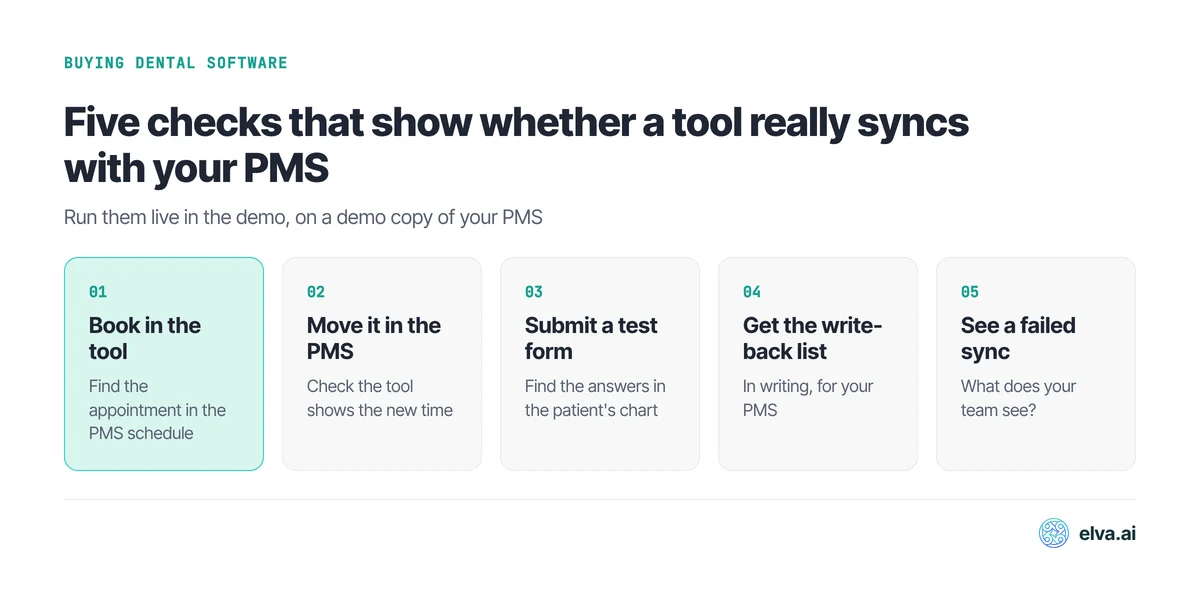
Ask the vendor to connect to a demo copy of your PMS and run five checks while you watch:
- Book a test appointment in the tool, then find it in the PMS schedule.
- Move that appointment in the PMS, then check that the tool shows the new time.
- Submit a test intake form, then open the patient’s chart and find the answers.
- Ask for the write-back list for your PMS, in writing.
- Ask them to show what your team sees when sync fails.
If a step can’t be shown live, ask why, and write down the answer.
How Elva answers these questions
We publish Elva, so here are our own answers to the six questions. Practices in our demos ask whether Elva writes back too. It does.
- Write-back. Elva reads and writes. Appointments, coverage results and clinical notes flow back into the PMS automatically. With dental online booking, appointments are written directly into your schedule in real time, and dental digital intake forms sync answers to the PMS. Elva’s Dentrix integration is built on an official API partnership with Henry Schein, and Elva is an Authorized API Partner for Open Dental.
- Speed. Elva syncs in real time with all seven PMSs it supports: Dentrix, Dentrix Ascend, Open Dental, Eaglesoft, Curve Dental, Denticon and CareStack.
- Which data. On Dentrix, Dentrix Ascend, Open Dental and Eaglesoft, Elva covers calls, recall, insurance, billing, scheduling and forms. On Curve, Denticon and CareStack, it syncs patient records, scheduling and claims in real time. Payments post to the ledger where the PMS supports it; where it doesn’t, they are surfaced for fast manual entry.
- A broken connection. If the PMS connection breaks, for example after a PMS update or during an outage, Elva keeps working and waits for the connection to come back, then continues syncing.
- Setup. The Elva team does the setup. Elva connects directly to each PMS, with no screen-scraping and no middleware.
- Locations. Elva works across a group’s existing PMSs, and on Dentrix Ascend it covers every location on your account.
Elva sits alongside your practice management system; it doesn’t replace it. See every dental PMS integration Elva supports.
Bring these six questions to an Elva demo. Book a demo
FAQ
What should I ask a dental software vendor about PMS integration?
Ask whether the tool writes back to your PMS or only reads it, how fast changes sync both ways, and exactly which data writes back on your PMS. Also ask what happens when the PMS updates or the connection drops, who sets it up, and whether it works at every location. Then ask to see a test appointment land in your PMS during the demo.
Which practice management systems does Elva sync with?
Dentrix, Dentrix Ascend, Open Dental, Eaglesoft, Curve Dental, Denticon and CareStack, all with real-time sync. See Elva’s dental practice management software integrations.
Does an AI receptionist work with Dentrix or Open Dental?
Many AI receptionists say they do, but depth varies, so ask the six questions above. Elva’s AI Receptionist checks insurance coverage during the call and syncs it to the patient’s record in the PMS, and it saves call summaries to the patient record. See how Elva works as an AI receptionist for Dentrix and an AI receptionist for Open Dental.
Is patient data safe when a tool connects to my PMS?
Ask for a signed business associate agreement (BAA) and how your data is protected. HHS explains that HIPAA permits a practice to share patient information with a business associate when it has a contract or other written arrangement in place. Elva signs a BAA with every practice, and patient data is encrypted at rest and in transit.