A solo dental practice runs on one person — sometimes two — holding the entire front desk together. That’s why this decision feels different at this scale than it does for a ten-location group: the budget is tighter, the stakes per call are higher, and the worry that something personal gets lost is sharper. This guide covers what an AI dental receptionist actually does, what it shouldn’t be trusted to do alone, what it costs, and when the honest answer is that a solo practice shouldn’t buy one yet.
Quick answer
An AI receptionist for a solo dental practice answers calls the front desk can’t get to — after-hours, lunch, and the moment your one receptionist is out — and can book directly into your practice management system if the integration genuinely supports it. It’s a stronger fit for a practice that’s regularly missing calls than for one that already has reliable coverage. Flat-rate pricing generally suits solo call volume better than per-minute billing, and the real comparison isn’t “AI versus your best receptionist” — it’s AI versus the calls currently going to voicemail.
Is an AI Receptionist Worth It for a Solo Dental Practice? Who It’s a Good Fit For
| Practice situation | Likely fit |
|---|---|
| One front-desk employee, calls regularly go unanswered or to voicemail | Strong potential fit |
| Front desk is often busy with in-person patients while the phone rings | Strong potential fit |
| Practice wants after-hours or weekend new-patient booking | Strong potential fit |
| Practice only needs occasional overflow coverage | Consider AI or a hybrid with existing staff |
| Calls are frequently complex clinical or billing conversations | Human-first or hybrid approach fits better |
| Your PMS has no real integration path available | Major buying concern — resolve this first |
| Practice already has excellent, reliable answering coverage | Incremental benefit may be limited |
| Call volume is very low overall | May not justify the monthly cost |
What an AI Receptionist Can Actually Do
At a solo practice, this generally covers:
- Answering calls immediately, including during hours staff can’t get to the phone
- Checking real appointment availability and booking, rescheduling, or canceling — where the integration genuinely supports writing back to your schedule, not just reading it
- Recognizing when a call reads as urgent and routing it to a person, following rules the practice sets
- Transferring a call to staff with context attached, so the patient doesn’t repeat themselves
- Answering routine questions — hours, location, accepted insurance plans — consistently
- Handling calls in multiple languages, where supported
What It Should Never Handle Alone
- Clinical judgment or diagnosis. A well-built system recognizes that a call sounds urgent and routes it — it doesn’t determine what’s actually wrong. That distinction matters, and any vendor implying otherwise should be a red flag.
- Genuinely distressed or high-risk callers, who need a person from the first moment, not a handoff partway through.
- Disputes or decisions that require staff authority — a billing dispute a patient wants resolved on the spot, for instance.
- Anything outside the rules your practice has explicitly configured for it to handle without a person.
Does an AI Receptionist Make a Solo Practice Feel Less Personal?
This is the concern most solo practices raise first, and it’s worth a direct answer rather than a dismissal. It’s a real, common worry — the fear that automation is built for a large, multi-location operation where patients are numbers, not a practice where the whole point is that everyone knows each other.
That concern is accurate about a badly built product. A phone tree that treats a fifteen-year patient and a first-time caller identically proves the critics right. The actual question isn’t “human or AI” — it’s whether the system preserves the relationship a solo practice runs on, or flattens it.
A few design choices change the answer:
- It doesn’t talk to every caller the same way — a returning patient and a new one get a different conversational register.
- It has context on the patient, not just their chart, which is what makes small, specific touches possible instead of a generic script.
- A handoff to staff carries the conversation’s context with it, so a patient isn’t starting over with a person who knows nothing.
There’s also a part of this concern that isn’t really about AI at all: a lot of what makes a solo front desk feel personal lives in one person’s head — which payer needs what, which patients need a gentle hand. That’s not a documented policy; it’s a single point of failure. The honest comparison isn’t “AI versus your best receptionist on her best day” — it’s AI versus the calls a solo front desk currently can’t reach at all: the one at 7 PM, the one during lunch, the fifth line ringing while your one staff member is already with a patient.
The honest limit stands too: a confidently wrong system is a real risk with a scared or upset patient calling about something sensitive. The right design doesn’t pretend to handle everything — it routes anything genuinely ambiguous or clinical to a person, by rules the practice sets and can change.
AI Receptionist vs. a Live Answering Service
A traditional answering service takes a message; an AI receptionist that’s actually integrated with your PMS books the appointment during the call. At solo scale, that difference matters more, not less — there’s less staff time available to chase down callback requests later. See the full comparison in AI receptionist vs. answering service. If you’re also weighing a remote human receptionist, see how a dental virtual receptionist compares with AI.
10 Questions to Ask Any AI Receptionist Vendor
- Does it integrate directly with my specific PMS — Dentrix, Open Dental, Eaglesoft, or whatever I run?
- Which specific actions can it perform in that PMS — read availability, create appointments, modify or cancel them, access patient records?
- Can it book a new-patient appointment without staff finishing the job afterward?
- Can it reschedule and cancel, not just book?
- Can it transfer a call to my staff live?
- Does that transfer include the conversation’s context, or does staff start cold?
- What happens when it doesn’t know the answer to something?
- How are emergencies handled — what exactly gets routed, and how fast?
- Will the vendor sign a BAA, and can they explain how patient data is collected, stored, transmitted, and retained?
- What’s actually included in the monthly price, and what’s billed separately?
See how to verify a vendor’s PMS authorization before taking an integration claim at face value — “integrates with Dentrix” can mean anything from a manual data export to a certified, real-time, two-way connection, and authorization status is the one part of that claim you can check yourself.
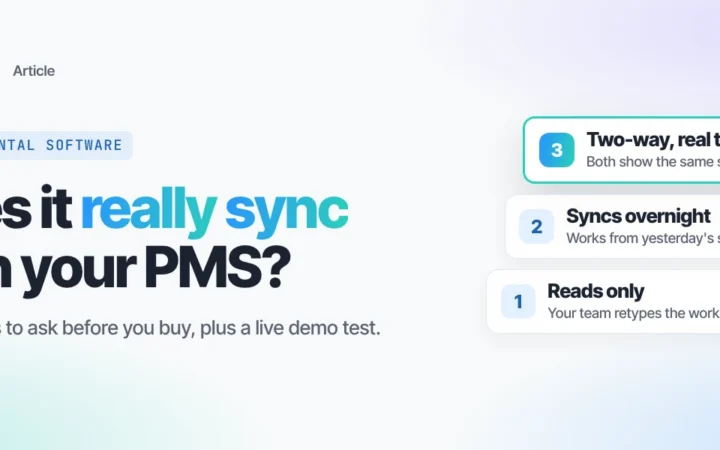
What “PMS Integration” Actually Means
Vendor claims in this category sit on a spectrum:
- Manual export — someone periodically pulls a file by hand. No live connection.
- One-way read — the tool sees your schedule but can’t write back; staff still enters the booking.
- Unofficial write access — the vendor writes to your PMS without going through the platform’s own approved program.
- Authorized, real-time, two-way sync — certified through the PMS’s own program, reads live data, writes changes back the moment they happen.
Ask which one you’re actually being sold.
HIPAA, BAA & Patient-Data Questions
“HIPAA compliant” isn’t a simple pass/fail badge a product either has or doesn’t — compliance depends on how the whole implementation is configured and used, and responsibilities are shared between the vendor and the practice. Rather than taking a blanket claim at face value, ask the vendor directly:
- Will you sign a Business Associate Agreement?
- Can you document how PHI is collected, stored, transmitted, accessed, and retained?
- What’s encrypted, and where — in transit, at rest, or both?
- What are we, as the practice, responsible for configuring correctly on our end?
A vendor that answers these specifically is a different conversation than one that just says “yes, we’re HIPAA compliant” and stops there.
How Much Does an AI Receptionist Cost for a Solo Practice?
Rather than one number, it’s more useful to know the model:
Estimated monthly cost = base subscription + usage/overage charges (if any) + setup or integration fee (if any) + optional add-ons (bilingual support, extra locations, etc.)
Flat-rate plans — generally the better fit at solo call volume — minimize the usage/overage variable, since the price doesn’t move with call length the way per-minute billing does. For Elva specifically, plans generally run in the $200–$900/month range depending on tier and call volume. For the full breakdown across billing models, see what an AI receptionist costs a dental practice.
A simple way to estimate your own ROI
You’re not really asking “is $300/month expensive” — you’re asking whether it makes or saves more than it costs. A rough framework:
Monthly ROI ≈ (recovered appointments × your average new-patient value) + staff time saved − software cost
For example: if 10 calls a month were previously going unanswered, and even 3 of those convert to booked new-patient appointments, plug in your own practice’s average new-patient value against the monthly cost. You don’t need an aggressive assumption — the point is having a way to run your own numbers, not accepting someone else’s projection. See what missed calls actually cost a dental practice for the other side of that math.
Red Flags When Evaluating a Vendor
- “HIPAA compliant” stated with no explanation of the BAA or how PHI is handled
- “PMS integration” claimed without specifying which actions it actually supports
- No live demonstration offered — a mockup or scripted video instead of a real call
- No human fallback, or no clear rule for when one kicks in
- Pricing that excludes real usage costs from the advertised number
- No call transcript or audit capability
- No explanation of how patient data is retained or deleted
- The vendor won’t let you test a realistic, difficult scenario before you buy
- The vendor implies the AI can make clinical judgments rather than routing them
When a Solo Practice Probably Shouldn’t Buy One Yet
- Your practice rarely misses calls in the first place
- Your existing coverage for after-hours and overflow is already reliable
- Monthly call volume is genuinely very low
- No vendor actually integrates with your specific PMS
- Most of your calls require complex, judgment-heavy conversations
- You can’t find a vendor that reliably hands off to staff with context
- The likely cost is higher than the value of what it would actually recover
What to Compare
| Criterion | What to look for | Why it matters |
|---|---|---|
| PMS integration | Direct scheduling read and write access | Prevents manual re-entry and double bookings |
| New-patient booking | Books without staff finishing the job | Captures the call while it’s happening |
| Human handoff | Live transfer with context attached | Handles exceptions without patients repeating themselves |
| Emergency routing | Practice-defined escalation rules | Avoids inappropriate automation on urgent calls |
| HIPAA/BAA | Signed BAA + documented data practices | Protects PHI; clarifies shared responsibility |
| Pricing | Transparent monthly cost, model disclosed | Makes ROI actually calculable |
| After-hours coverage | Configurable schedule | Extends coverage where staff can’t |
| Call records | Searchable transcripts | Supports quality control |
| Configuration | Practice-specific rules, not generic defaults | Avoids one-size-fits-all responses |
| Reporting | Calls, bookings, transfers tracked | Measures whether it’s actually working |
Frequently asked questions
Can an AI receptionist book dental appointments? Yes, where the integration genuinely supports writing back to your schedule — confirm this specifically, since some tools only read availability and still require staff to finish the booking.
Can an AI receptionist integrate with Dentrix? Yes, for vendors with a real, authorized connection to Dentrix. See how to verify a vendor’s Dentrix authorization before taking the claim at face value.
Can an AI receptionist integrate with Open Dental? Yes, through Open Dental’s own separate API and vendor-authorization program — independent from Dentrix’s, so check each one specifically.
Can an AI receptionist handle emergency dental calls? It can recognize that a call reads as urgent and route it to a person immediately, following rules your practice sets. It shouldn’t be relied on to diagnose or determine clinical severity itself.
Can patients reach a human? Yes — a well-built system hands off to staff with the call’s context attached whenever a rule you’ve configured calls for it, or whenever a patient asks directly.
How much does an AI receptionist cost for a solo dentist? It depends on the billing model and your call volume — see the cost formula and pricing breakdown above, or the full pricing article for detail by billing type.
Is AI cheaper than a dental answering service? It depends on your call volume and average call length — per-minute answering-service pricing and flat-rate AI pricing cross over differently for every practice. See AI receptionist vs. answering service for the direct comparison.
Who is the best AI receptionist for dentists? It depends primarily on PMS compatibility, real scheduling capability, human handoff quality, HIPAA/BAA practices, your call volume, and pricing structure — see how to compare AI receptionist vendors for the full evaluation methodology.