Dental payment posting automation is software that reads each insurance payment, whether an ERA or a paper EOB, matches it to the claim, and posts the paid amount, the write-off and the patient’s share per procedure in your practice system, with a check afterwards that the posting is right. It replaces two things: a team member typing every payment by hand, and a third-party vendor keying payments days after they arrive.
In the 2024 CAQH Index (2023 data), dental providers reported an average cost of $3.70 for each remittance advice handled by hand and $1.73 for an electronic one, and $3.20 against $1.84 for each claim payment.1 Providers also reported saving about 3 minutes per remittance by going electronic.1 The cost of posting is real, and it adds up at your volume.
The way it works today
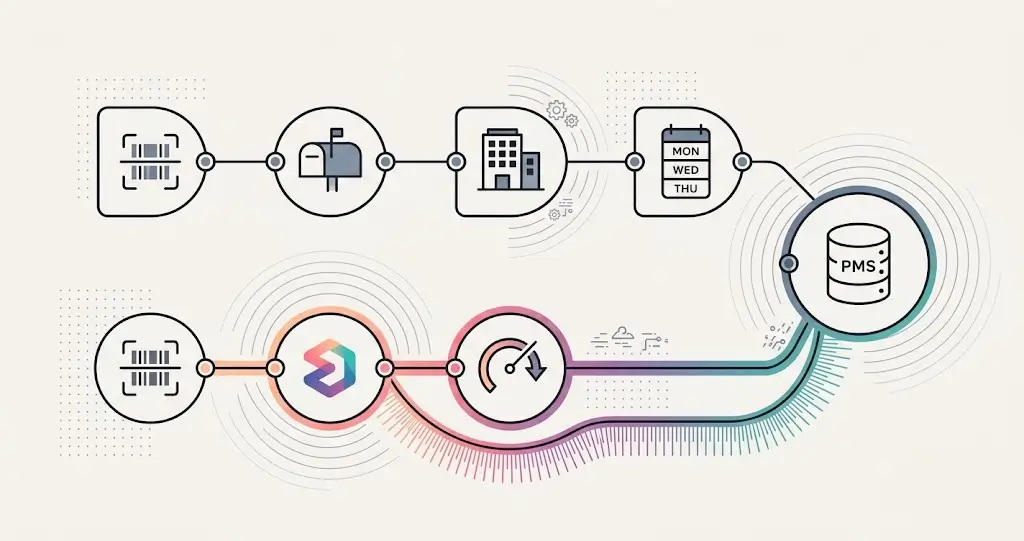
In many practices the front office scans the mail, and a posting vendor keys the payments into the practice management system, often days later. That model has five problems.
- Time. Payments sit in a queue before anyone sees them, so a denial or a short payment is found late.
- Cost. You pay for posting, and your team still scans, sends and answers the vendor’s questions.
- Accuracy. The person keying does not know your fee schedule or your payers, so odd payments get posted wrong or skipped.
- The appeal window. Plans set their own deadlines, and the ADA notes some allow as little as six months from the denial.2 Every day a denial sits unread uses some of it.
- Visibility. You see the result in the ledger, not what happened on the way.
What Elva does instead
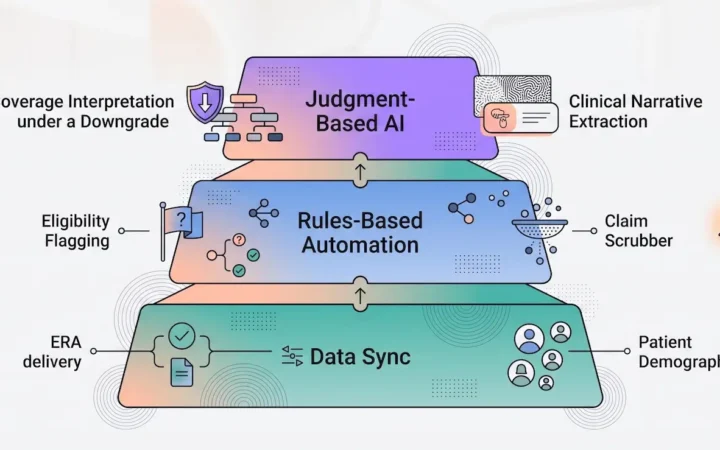
Elva reads, decides and acts on every payment inside the practice.
- Read. Elva reads each EOB or ERA down to the claim line, the procedure codes, the paid amounts and the adjustment codes, and matches it to the patient and the claim.
- Decide. Elva checks the payment against what the claim should have paid. It works out the odd ones first (a claim it cannot find, a crown paid as a cheaper crown, a payment taken back and paid again) and asks at most one question.
- Act. Elva posts the payment per procedure, reads your practice system back to check the claim status, the amounts and the patient’s balance, and reverses a posting that does not check out. Underpaid and denied claims move to dental claim denial management.
During training your team confirms each posting. After about 100 confirmed postings Elva suggests autopilot, and the practice turns it on or off itself. Any posting can be undone.
Elva’s posting works with Dentrix, Dentrix Ascend, Open Dental, Eaglesoft, Curve Dental, Denticon and CareStack, and every feature is available on all seven. See the product pages for the details: dental EOB posting for ERAs and the ledger, dental EOB processing for checks and virtual cards, and Document Center for the intake of all insurance paper.
Posting from two copies causes duplicates
CAQH’s 2024 Index notes that more dental offices are taking remittances from both ERAs and payer portals, and says this suggests duplicate postings are occurring.1 Pick one source for each payment and mark the other as seen. Elva catches an EOB that arrives twice, by fax and by portal, and skips it.
Why this matters more for a DSO
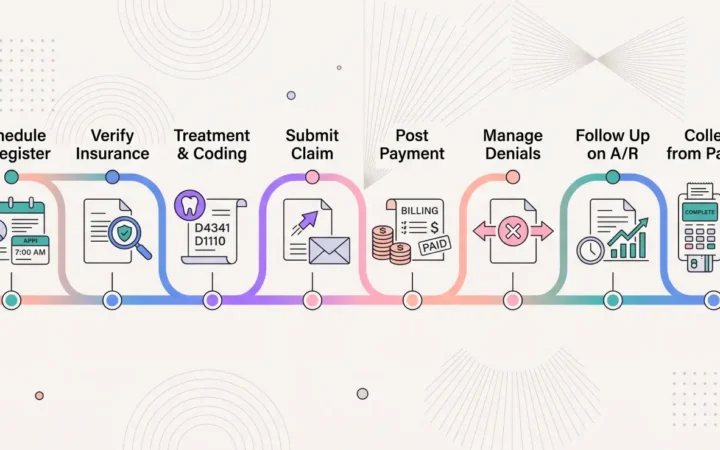
A group that posts in-house and the same day keeps its cash cycle current across locations, and sees short payments and denials while they can still be appealed. It also makes claim follow-up more reliable, because the next step for every claim starts from a posted result. Our guide to dental claim follow up covers what happens next, and our guide to dental insurance payment reconciliation shows how the posted payments are matched to your bank deposits.
Frequently asked questions
What is dental payment posting automation?
Software that reads each insurance payment, matches it to the claim, and posts it per procedure in your practice system, then checks the posting. It handles ERAs and paper EOBs.
How long does manual EOB posting take?
It depends on your payers and your volume, so count your own. CAQH reports that dental providers save about 3 minutes per remittance by going electronic.1 The dental EOB posting page has a calculator where you enter your numbers.
What is wrong with outsourcing payment posting?
Payments are keyed days after they arrive, by someone who does not know your payers, and you cannot see what happened on the way. The result is late denials, wrong postings and a team that still handles the paper. In-house posting by software removes the wait and shows every step.
How does same-day posting protect the appeal window?
Plans set their own appeal deadlines, and the ADA notes some allow as little as six months from the denial.2 A denial found on the day the payment arrives leaves the whole window to prepare the appeal.
What happens when a document is ambiguous?
Elva works it out first: from the check total, the allowed amount, and the payer’s portal, and by calling the payer if it has to. If it still cannot settle it, the document comes to a person with every try shown, and only the unreadable values left to type.
Ready to see it on your own payers? Book a demo.
Related: Dental RCM Automation · What Is Dental RCM · Prior Authorization vs. Predetermination
1 CAQH, 2024 CAQH Index (2023 data), dental section: provider cost per remittance advice ($3.70 manual, $1.73 electronic), per claim payment ($3.20 manual, $1.84 electronic), time saved per remittance (about 3 minutes), and the note on duplicate postings. caqh.org
2 American Dental Association, “How to File an Appeal.” ada.org